Exam Evaluation App for Teachers, Schools, and Colleges (AI-Powered)
Updated: · Handwritten answer sheets · Marked PDFs + Excel summary
Why Teachers Need an Exam Evaluation App
Even in 2026, many schools and coaching institutes still rely on paper bundles and manual checking. The challenge is not only time—it’s also consistency, feedback quality, and the ability to track progress across tests. An exam evaluation app bridges handwriting with digital speed: you keep the traditional exam format, but remove repetitive checking work.
How It Works (OCR → Rubric → Marking → Marked PDF → Excel Summary)
Step 1: Scan & upload
Students scan answer sheets using a phone or a document scanner. Clear scans improve handwriting recognition accuracy.
Step 2: OCR/HTR reads handwriting
The system converts handwriting into readable text and understands layout so it can locate answer regions.
Step 3: Question mapping + rubric approval
Answers are mapped to the correct questions/sub-questions. Teachers approve a rubric (marks split, expected points, strictness, and partial marking rules). This makes marking consistent across the batch.
Step 4: Evaluation + outputs
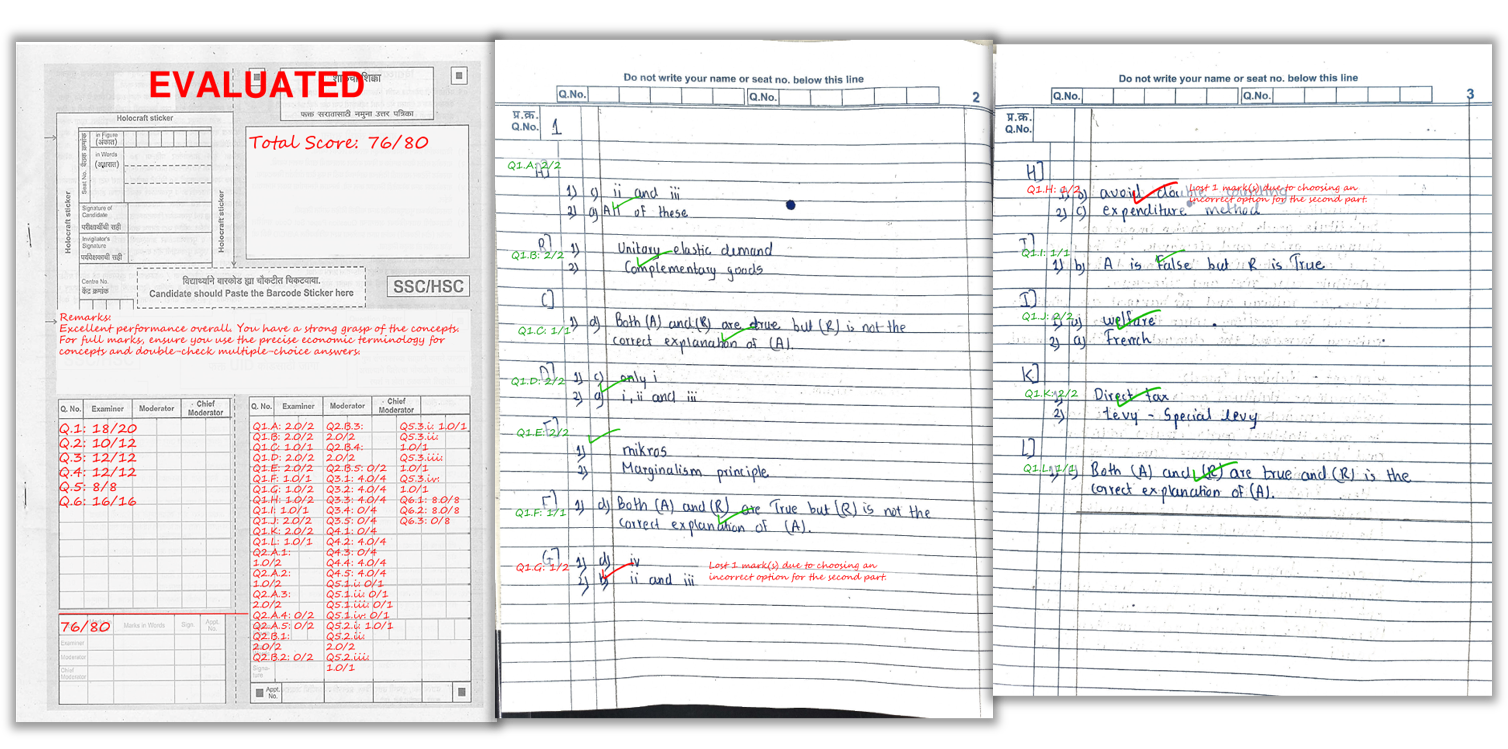
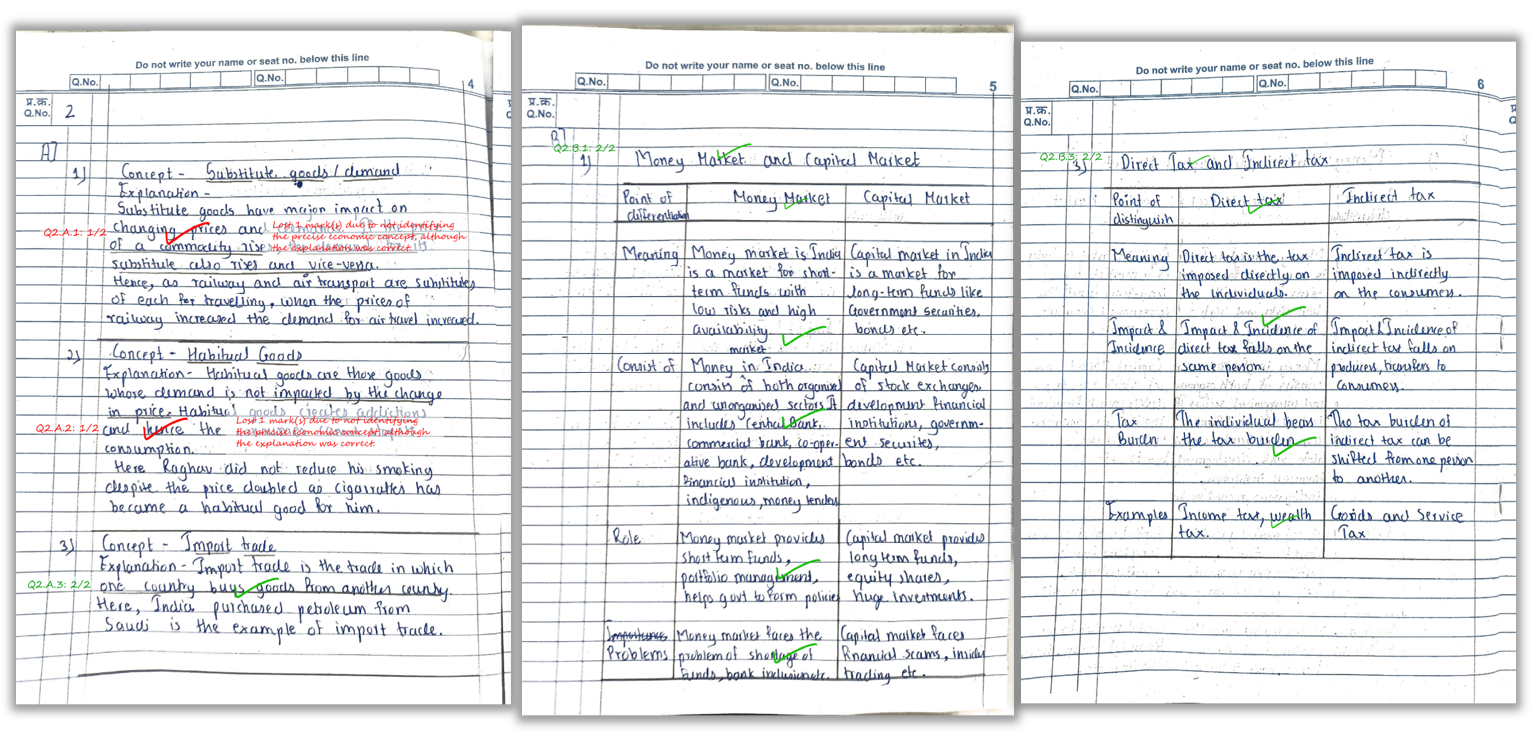
- Marked PDFs with question-wise scores + teacher-style remarks
- Excel summary with totals + feedback per student
- Optional analytics showing weak questions/topics across the batch
Benefits for Schools, Coaching Institutes & Colleges
- Bulk grading: evaluate large batches without manual effort
- Faster feedback loop: students improve faster with quick remarks
- Consistency: same rubric across students reduces bias
- Progress tracking: compare student performance across multiple tests
Scanning Tips Checklist (to get best accuracy)
- Bright lighting: avoid shadows and glare
- Full page in frame: don’t crop edges
- Flat pages: reduce curvature near binding
- Correct order: scan sequentially
- Use dark ink: faint writing reduces OCR quality
See how marks and remarks appear directly on the student’s answer sheet.
FAQ
1) Can this app evaluate both subjective and objective answers?
Yes. Rubric-based evaluation supports subjective answers, while objective questions can be scored as right/wrong when answers are clearly defined.
2) Do teachers lose control if AI grades papers?
No. Teachers approve the rubric and can review outputs. AI applies rules consistently at scale.
3) What files do teachers receive?
Marked PDFs for each student and an Excel summary sheet with totals and feedback.
4) Is phone scanning enough?
Yes. With good lighting and full-page capture, phone scanning works for most institutions.
5) Can coaching institutes use this for mock tests?
Yes—mock tests are one of the best use cases because students benefit from quick, consistent feedback.
Related Reading
Want to try the evaluation app?
Explore Key Features, see Pricing, or Sign Up and start with free credits.